Your local stack,
beautifully together.
Databases, runtimes, local sites, and the little things in between. One native Mac app to keep your development workspace running.
macOS 14+Apple siliconFree to download
Everything your project
calls home.
Less tending to your tools. More time for what you’re building.
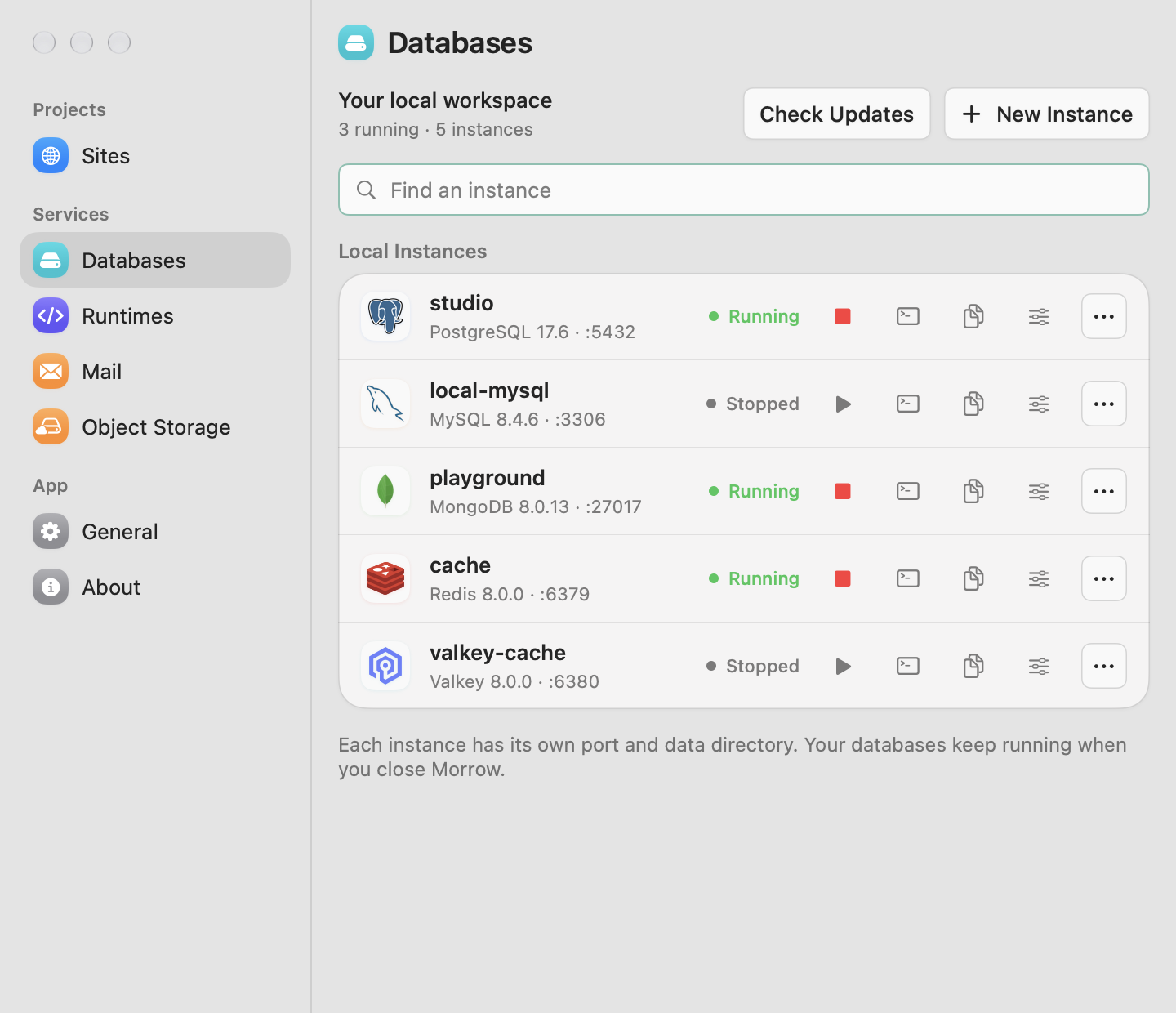
A database for every idea.
Choose an engine and version. Give it a name. Morrow handles the download, setup, and its own data directory.
Your folder. Your domain.
Park your projects and visit folder-name.test. Add local HTTPS, link an app port, or choose which worktrees to host.
The right version, right here.
PHP 8.4 for one project. Node 24 for another. Choose versions per folder, with the same choices in your terminal.
Emails with nowhere to go.
Catch messages from your app in a local inbox. Test sign-ins, receipts, and notifications without sending real mail.
A bucket in your backyard.
Run an S3-compatible server on your Mac. Create buckets and test uploads with your app’s existing S3 client.
Two ways. One workspace.
Click from your menu bar or type a command. Your instances, runtime choices, and settings stay in one place.
A fresh start.
Without the setup day.
- 01
Make room for Morrow.
Download the app and move it into Applications. The setup assistant helps you settle in.
- 02
Bring your next project.
Create a database, choose your runtimes, and add your project folder.
- 03
Get back to building.
Keep an eye on services from your menu bar, with logs and configuration close at hand.
$ morrow db create postgresql studio --startCreate an instance and start it
with a single command.
$ morrow site link --port 3000Give your running app
a proper local address.
Meet your new
local companion.
Download. Open. Make something good.
Download for macOSRelease notes and checksumsIs Morrow free?
Yes. Morrow is free to download. Its source code is public on GitHub, where you can inspect the code, report issues, and contribute improvements.
What do I need to install first?
Just Morrow. The signed app includes its CLI and downloads compatible services and runtimes when you need them. Homebrew and Xcode are not required to use it.
Which Macs are supported?
Morrow supports Apple silicon Macs running macOS 14 or later. Some runtime distributions need a newer macOS version; Morrow filters out incompatible packages.
Will it change my existing projects?
Morrow keeps your project files in place. It can reuse compatible software already installed on your Mac. Ignoring a site, excluding a worktree, or removing a parked directory removes local routes without deleting your folders.
How do app updates work?
Open About → Check for Updates, or enable automatic update checks. Morrow verifies app updates before installing them. Database and runtime upgrades are separate actions that you control.
Is this for production servers?
Morrow is a local development workspace. Services bind to your Mac, and local databases use development-friendly defaults. It is not a production hosting platform.